
SMS opt-in is the moment a person agrees to receive texts from you — and capturing that consent clearly is what keeps your texting program healthy. Below are copy-pasteable opt-in examples for every common scenario (web form, keyword-to-join, checkout, double opt-in), plus the disclaimer language carriers expect to see. Grab what fits, swap in your business name, and you're set.
What is SMS opt-in?
SMS opt-in is the explicit agreement a contact gives to receive text messages from your business. It's the consent record behind every compliant SMS program — gathered through a web form checkbox, a texted keyword, a paper form at the counter, or a verbal yes you log. The opposite, opt-out, is when someone replies STOP to stop receiving messages.
Consent matters for two reasons. First, it's the heart of TCPA compliance — the federal law that governs business texting expects you to have prior express consent before you message someone for marketing. Second, the carriers that move your texts review how you collect consent during 10DLC registration; a clear opt-in flow is what gets your campaign approved and your messages delivered.
The practical version: collect a real yes, write the disclosure plainly, and keep the record. The examples below show exactly how.
The 5 elements every compliant opt-in needs
Whatever the channel, a compliant opt-in disclosure spells out the same five things. The CTIA Messaging Principles — the wireless industry's shared rulebook — and the FCC are the authorities here, and both point to this pattern:
| Element | What it answers | Example phrasing |
|---|---|---|
| Business identity | Who is texting me? | "from Northgate Realty" |
| Message purpose | What will you send? | "appointment reminders and listing alerts" |
| Frequency | How often? | "Msg frequency varies" / "up to 4 msgs/month" |
| Rates notice | Will it cost me? | "Msg & data rates may apply" |
| Opt-out | How do I stop? | "Reply STOP to opt out, HELP for help" |
For marketing opt-ins, add two more: "Consent is not a condition of purchase" and links to your Terms of Service and Privacy Policy. That's the full pattern carriers want to see on a web form.
SMS opt-in examples by scenario
Real, copy-pasteable opt-in language for the ways businesses actually collect consent. Swap the bracketed parts for your details.
1. Web form checkbox (the disclaimer)
The unchecked checkbox is the workhorse of SMS consent. The user ticks it themselves — never pre-check it. Place this next to the box:
☐ I agree to receive recurring marketing text messages from
[Business Name] at the number provided. Consent is not a condition
of purchase. Msg frequency varies. Msg & data rates may apply.
Reply STOP to opt out, HELP for help. View our Terms of Service
and Privacy Policy.
2. Web form confirmation text (first message after signup)
After someone submits the form, your first text confirms the opt-in:
[Business Name]: You're signed up for text updates! Msg & data
rates may apply. Msg frequency varies. Reply HELP for help,
STOP to cancel.
3. Keyword-to-join (text-to-subscribe)
Promote a keyword on signage, receipts, or social. The reply confirms consent:
Text JOIN to (555) 123-4567 to get [Business Name] deals & updates.
Up to 6 msgs/month. Msg & data rates may apply. Reply STOP to cancel.
And the autoresponder that fires when they text JOIN:
[Business Name]: Welcome! You'll get deals & updates up to 6
msgs/month. Msg & data rates may apply. Reply STOP to opt out,
HELP for help.
4. Point of sale / in-person
Collecting a number at the counter or on a tablet? Say it out loud, then confirm by text. Verbal-consent script:
"Want order updates and offers by text? It's [Business Name],
a few messages a month, and you can reply STOP anytime to cancel."
Then send the confirmation:
[Business Name]: Thanks for opting in to text updates! Msg & data
rates may apply. Reply STOP to opt out, HELP for help.
5. Double opt-in confirmation
Double opt-in adds a second step: after the first signup, you ask the contact to confirm before any more messages go out. It's the cleanest consent record you can keep.
[Business Name]: Reply YES to confirm you want to receive [appointment
reminders / deals]. Msg & data rates may apply. Reply STOP to cancel.
When they reply YES, complete the loop:
[Business Name]: You're confirmed! You'll get [reminders / deals]
going forward. Reply HELP for help, STOP to opt out anytime.
6. Appointment reminders (transactional)
For service businesses, capture consent at booking and confirm it:
[Clinic Name]: You're set to receive appointment reminders at this
number. Msg & data rates may apply. Reply STOP to opt out.
7. Order & shipping updates (e-commerce)
Offer texted updates at checkout with an unchecked box, then confirm:
[Store Name]: Thanks! You'll get order & shipping updates by text.
Msg & data rates may apply. Reply STOP to cancel, HELP for help.
8. Recruiting / staffing
For a staffing agency texting candidates about shifts:
[Agency Name]: You're opted in to shift alerts & job updates. Msg
frequency varies. Msg & data rates may apply. Reply STOP to opt out.
9. Nonprofit / faith community
For a church or nonprofit sending event and giving reminders:
[Org Name]: You're signed up for event & service updates. Up to 4
msgs/month. Msg & data rates may apply. Reply STOP to opt out.
10. Lead follow-up (sales)
When a prospect requests a quote and agrees to text follow-up:
[Company Name]: Thanks for your interest! We'll text you about your
quote. Consent is not a condition of purchase. Msg & data rates may
apply. Reply STOP to opt out.
Treat these as starting points. The wording you settle on should match how you actually collect consent and what you'll send, and this guide isn't legal advice. For the binding specifics, go to the FCC and the CTIA Messaging Principles, and read our TCPA guide for the plain-English breakdown.
Single vs. double opt-in
Both are valid. The difference is one confirmation step.
| Single opt-in | Double opt-in | |
|---|---|---|
| How it works | One action (form, keyword, verbal) starts messaging | Adds a "reply YES to confirm" step before more texts |
| Speed | Faster — subscriber is active immediately | One extra reply before they're active |
| Consent record | Solid when the action is clear and logged | Strongest — confirmation is logged proof |
| Best for | Most marketing & transactional lists | High-value lists, regulated industries, cleaner records |
Single opt-in is fine for most programs as long as the original action was unambiguous and you keep the record. Double opt-in trades a little signup friction for the cleanest possible proof of consent.
What a compliant opt-in form needs
If you're collecting consent on a web form, build it so the consent is real and provable:
- An unchecked SMS checkbox — the user ticks it; never pre-check it, and keep it separate from your email or terms checkbox so the SMS consent stands on its own.
- The complete disclosure next to the box — business name, purpose, frequency, "msg & data rates may apply," and "reply STOP to opt out."
- "Consent is not a condition of purchase" for any marketing form.
- Links to your Terms of Service and Privacy Policy.
- A record of the opt-in — timestamp, the number, and the exact language shown — so you can show how consent was captured.
No website yet? That's the usual blocker. PitchPrfct generates a hosted opt-in landing page for you, so you can collect compliant consent without building a site first.
How PitchPrfct keeps opt-in compliant
Capturing consent is step one; honoring it is the ongoing job. PitchPrfct handles the parts that are easy to slip on:
- Automatic opt-out handling — when a contact replies STOP, PitchPrfct stops messaging that number and keeps the record. You can set custom opt-out phrases too.
- Quiet-hours by time zone — built-in zip-to-timezone controls so messages land inside allowed sending windows for each contact's local time.
- Real-time compliance scanning — message copy is checked before it sends.
- A generated opt-in landing page — collect consent even before you have a website.
- Opt-in / opt-out management baked into contacts, so your list stays clean as it grows.
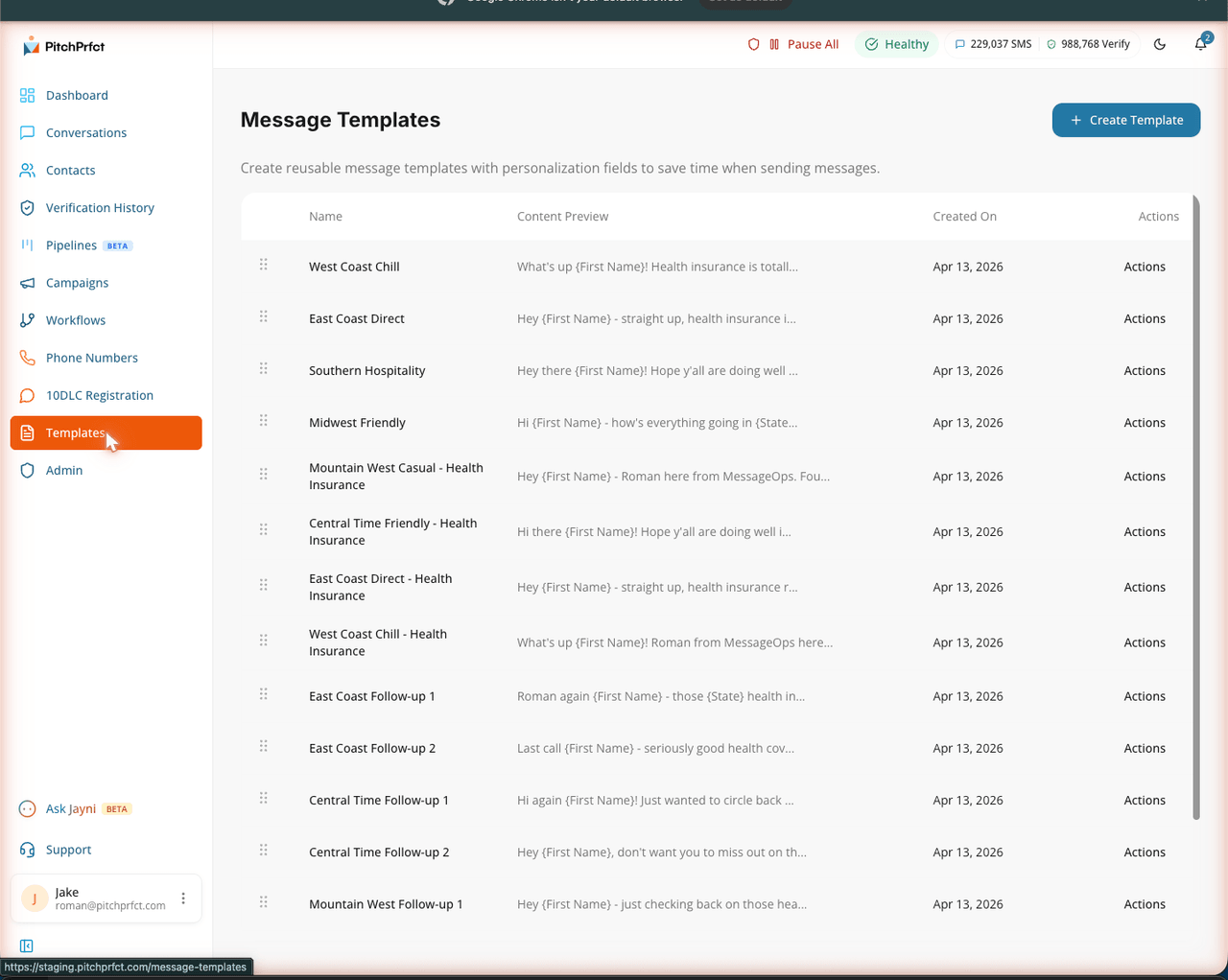
That's the compliance layer working in the background while you focus on the conversation. For the bigger picture on running texts the right way, see what SMS marketing is.
Related reading
- TCPA compliance: a plain-English guide — the consent, opt-out, and quiet-hours rules behind every opt-in.
- What is 10DLC? — how carrier registration reviews your opt-in flow.
- SMS templates — ready-to-use message templates for campaigns and follow-up.
- What is SMS marketing? — the pillar guide to texting your customers.
Frequently asked questions
What is SMS opt-in?
What's required for compliant SMS consent?
What's the difference between single and double opt-in?
Do I need a website to collect opt-ins?
What does "msg & data rates may apply" mean?
What happens when someone replies STOP?
Want opt-out handling, quiet hours, and a generated opt-in page built in? Start a free trial.