
Texting works best when it talks to the rest of your stack. PitchPrfct connects four ways: native connectors for calendars and scheduling, no-code automation through Zapier and Make.com, a REST SMS API, and outbound webhooks for real-time events. This guide is for operators and developers wiring text messaging into the tools they already run. Pick the lightest option that does the job.
How to integrate SMS with your tools
There are four ways to connect a texting platform to the rest of your software. Each trades setup effort for control.
- Native connectors — built-in integrations the vendor maintains. One click, no code, but only for the apps they support directly.
- No-code automation (Zapier, Make.com) — a trigger-action bridge to thousands of apps. No engineers, visual setup, broad reach.
- A REST SMS API — call endpoints from your own code to send texts, manage contacts, and read conversations. Full control, needs a developer.
- Webhooks — the platform pushes events to your endpoint as they happen, so you react in real time instead of polling.
PitchPrfct ships all four. Here's the whole product, including where each piece lives:
Native integrations: Google Calendar and Calendly
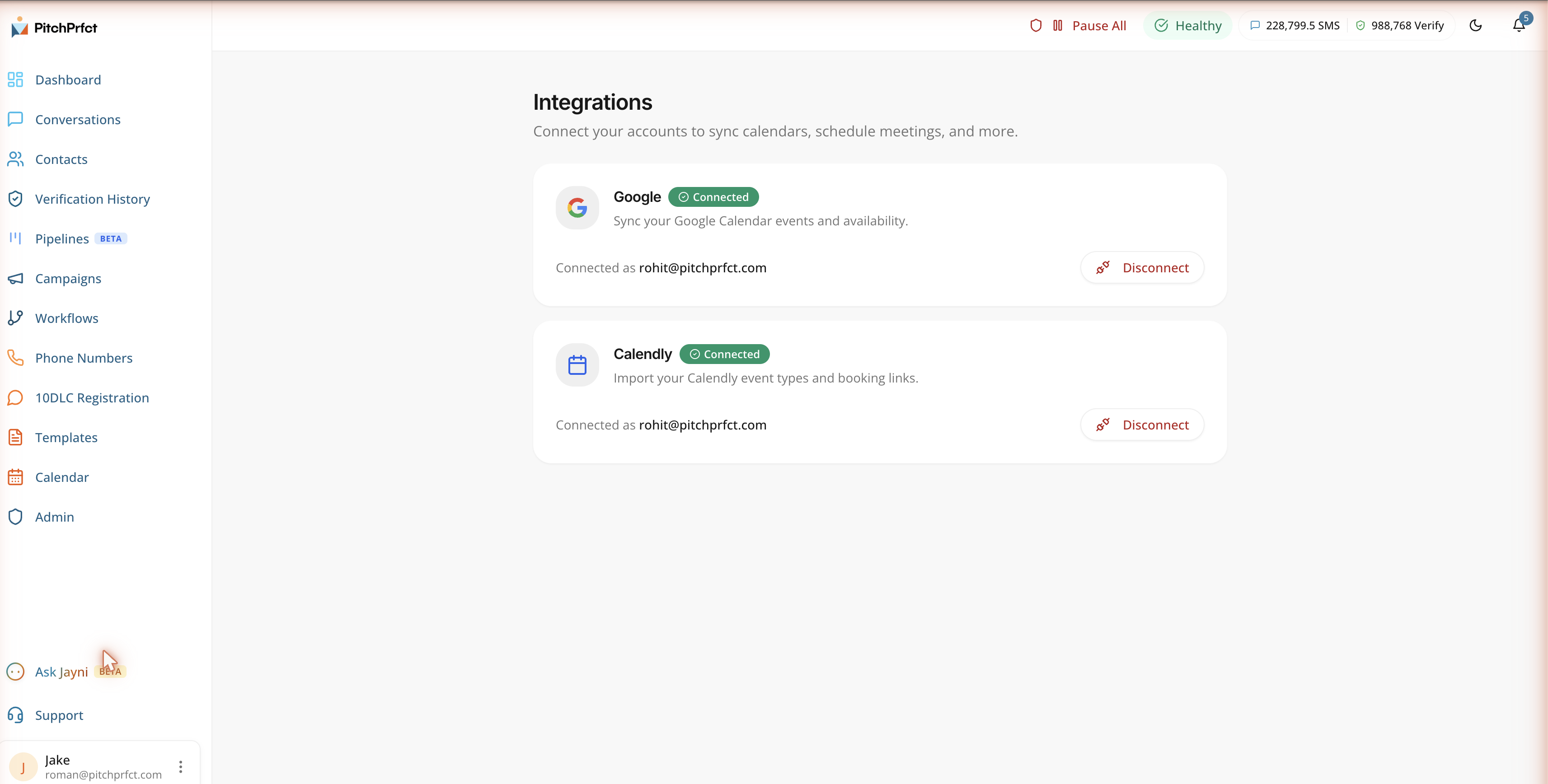
The fastest connections are the built-in ones. PitchPrfct's Integrations page links your accounts to sync calendars and schedule meetings — no middleman. The native connectors are Google Calendar and Calendly.
Google Calendar keeps your availability in sync, so when a text conversation turns into a booked meeting it lands on the right calendar. Calendly runs the scheduling flow: a lead picks a time, and the booking flows back into your workflow. Together they close the loop between a reply and a confirmed appointment — the work covered in our guide to SMS appointment scheduling.
No-code automation: Zapier and Make.com
Beyond the native connectors, PitchPrfct plugs into Zapier and Make.com. That's how you reach the long tail — CRMs, spreadsheets, form builders, help desks — without writing code. Zapier alone connects to over 9,000 apps (per Zapier's own app directory, June 2026), so an SMS Zapier integration covers most stacks out of the box.
Both platforms use a trigger-and-action model. A new contact in your CRM triggers a text. An inbound reply creates a task. A booked meeting updates a record. You map the fields visually and turn it on. In practice teams wire these to order confirmations, appointment reminders, new-lead alerts to sales, and post-ticket surveys — the standard set of SMS automation use cases.
This is also the answer for CRMs people ask about by name. PitchPrfct does not ship a native HubSpot or Salesforce connector. You connect those through Zapier or Make.com instead. If you'd rather keep the logic inside PitchPrfct, the built-in SMS workflow automation handles multi-step sequences, delays, and branching on its own.
Developers: the REST SMS API
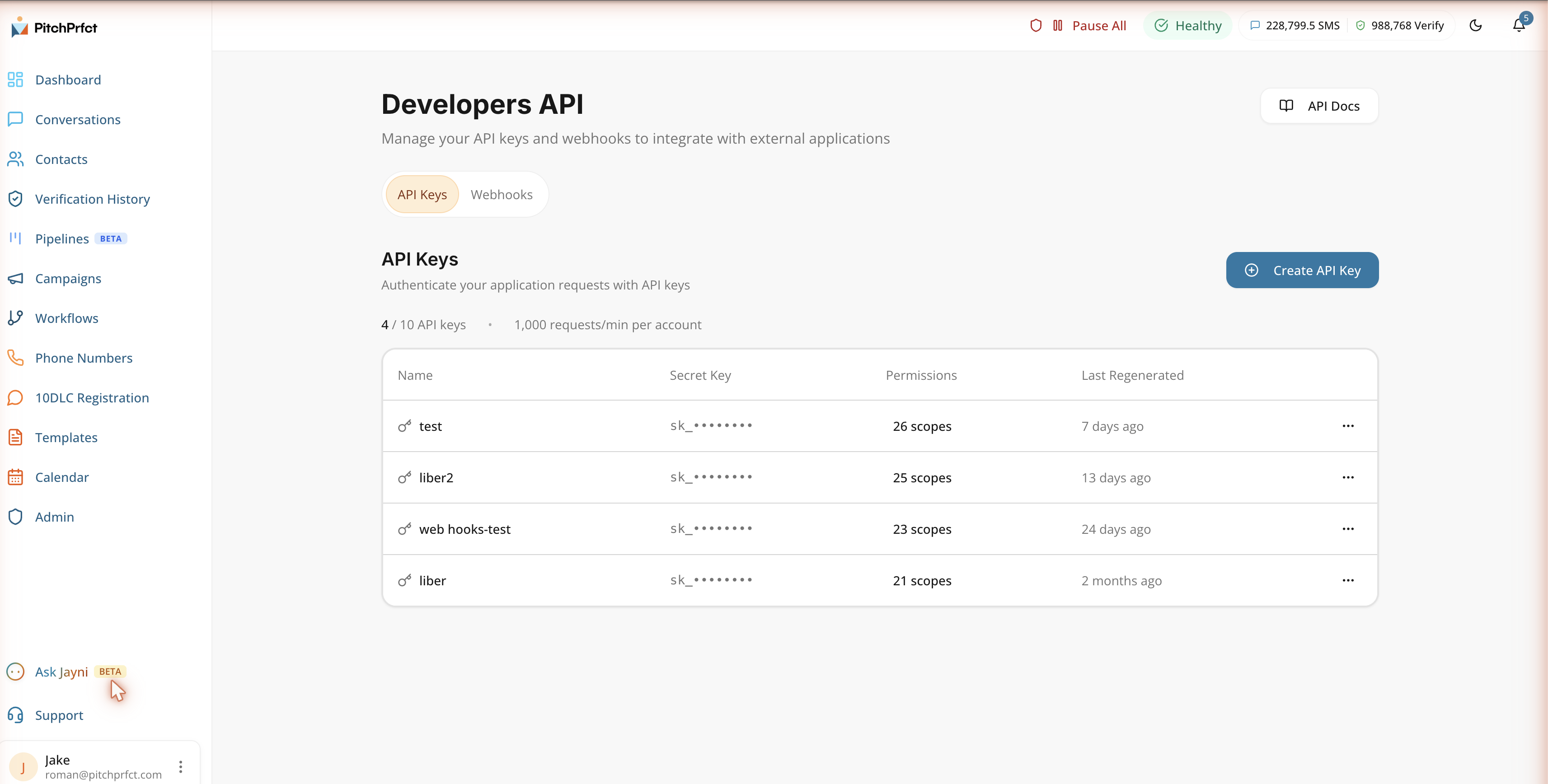
For custom builds, PitchPrfct exposes a REST API on the Developers page. This is the layer for sending texts from your own app, syncing data on your terms, and managing everything programmatically.
What the text message API gives you:
- Programmatic control. Manage contacts, send messages, and read conversations from code. Endpoints cover contacts, tags, custom fields, opt-outs, messages, conversations, workflows, and webhooks — the same objects you see in the app.
- Scoped API keys. Create a key and grant it only the permissions it needs. Scopes keep one integration from doing more than its job, and secrets are masked after creation — copy a key when you make it.
- A rate limit with headroom. The API allows roughly 1,000 requests/min per account — enough for real send volume while keeping the platform stable.
- Client libraries. The docs show examples for Shell, Ruby, Node.js, PHP, and Python, so you start in the language you already use.
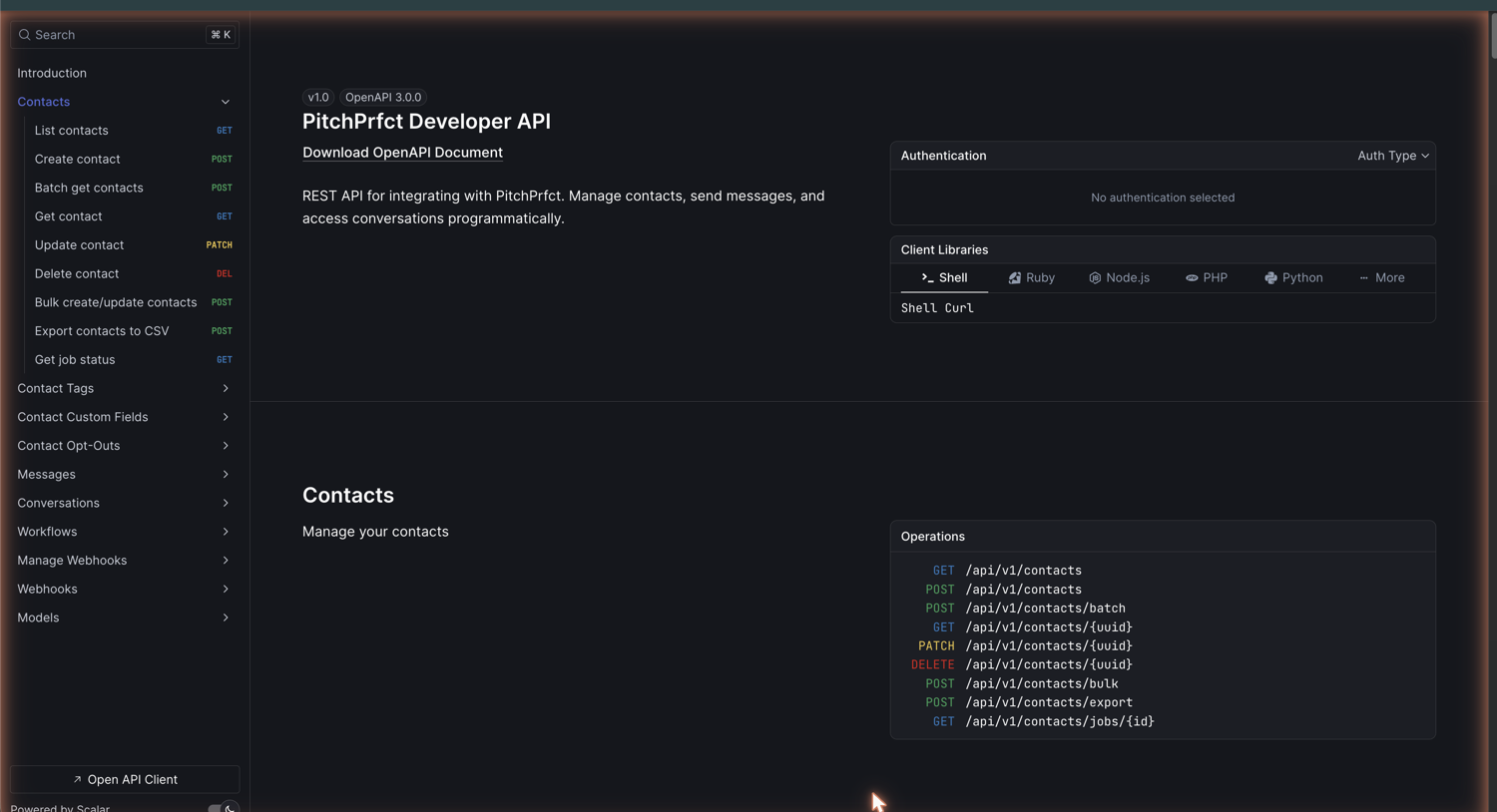
If you've used any modern messaging API, this will feel familiar: authenticate with a scoped key, call the endpoints, and listen on webhooks for what comes back.
SMS webhooks: react in real time
Webhooks are the other half of the API. Instead of polling for changes, you register an endpoint and PitchPrfct pushes events to it as they happen — an inbound reply, a delivery status, an opt-out. Your systems react the moment something changes.
That makes SMS webhooks the right tool for keeping an external database current, firing an alert when a hot lead replies, or updating a CRM record the instant a contact texts STOP. You configure them on the same Developers page where you manage API keys.
Which integration should you use?
Four paths, one rule: use the least-code option that does the job.
| Need | Use | Code required |
|---|---|---|
| Calendar sync and booking | Google Calendar, Calendly | None |
| Connect a CRM or another app, no engineers | Zapier or Make.com | None |
| Send texts or sync data from your own product | REST API | Yes |
| React to replies and status changes in real time | Webhooks | Yes |
You can mix them. A team might book through Calendly natively, pipe leads in via Zapier, call the API for one custom flow, and listen on a webhook for replies — all on the same account. Every path runs on the same SMS-only platform, with TCPA compliance (auto STOP handling, quiet hours, scrubbing) and guided 10DLC built in. The Jayni AI assistant is live too, and can field the first reply before handing off to your team.
Frequently asked questions
Does PitchPrfct have an SMS API?
How do I integrate SMS with Zapier?
Are there SMS webhooks?
What native integrations are available?
Does PitchPrfct send email too?
Ready to wire texting into your stack? Start a free trial.